
In today’s digital world, your website is often the first impression customers have of your business. Whether you’re a startup, local business, or enterprise, having a professionally designed website can significantly impact your credibility, conversions, and growth.
But what exactly is web design, and how does it work? Let’s explore.
What Is Web Design?
Web design is the process of planning, creating, and arranging the visual appearance and functionality of a website. It combines creativity with technical knowledge to build websites that are attractive, easy to use, and optimized for different devices.
A well-designed website focuses on:
- User experience (UX)
- User interface (UI)
- Visual aesthetics
- Navigation
- Responsiveness
- Performance
- Accessibility
The goal isn’t just to make a website look beautiful—it’s to help visitors find information quickly and encourage them to take action.
Why Is Web Design Important?
A professionally designed website helps businesses:
- Build trust with visitors
- Increase brand credibility
- Improve user engagement
- Generate more leads
- Boost online sales
- Rank better in search engines
- Reduce bounce rates
Studies show that users form an opinion about a website within a few seconds. Poor design can drive potential customers away before they even read your content.
How Does Web Design Work?
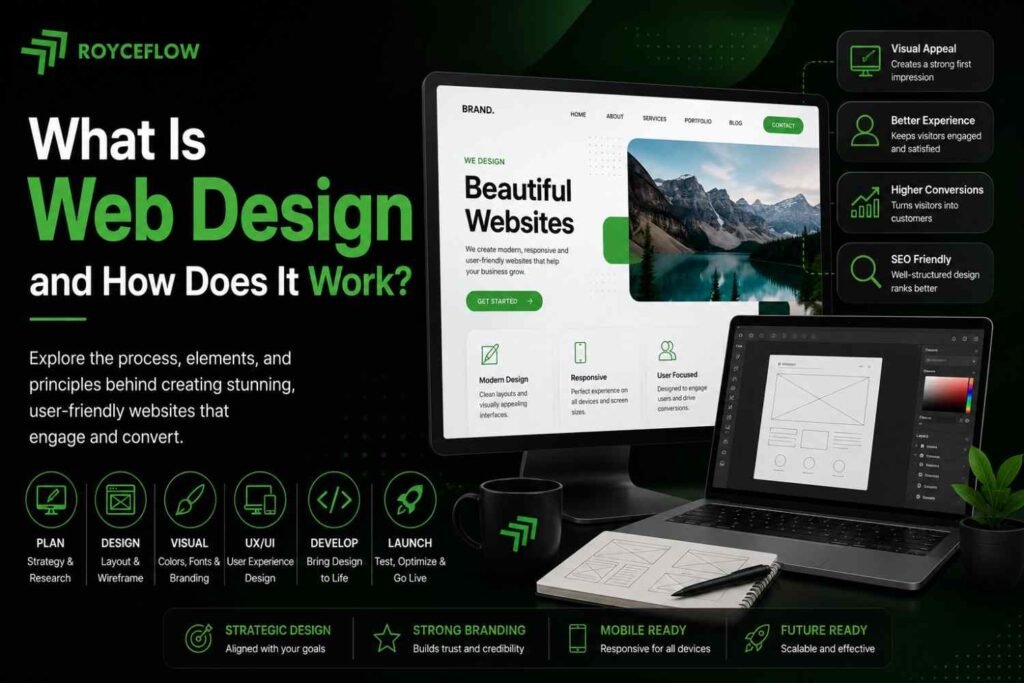
Web design follows a structured process from planning to launch.
1. Understanding Business Goals
Every successful website starts with understanding:
- Business objectives
- Target audience
- Competitors
- Services or products
- Customer journey
This helps designers create a website that supports business growth rather than just looking attractive.
2. Planning the Website Structure
The next step is creating the website architecture.
Typical pages include:
- Home
- About
- Services
- Blog
- Portfolio
- Contact
- FAQ
This planning ensures visitors can navigate the website easily.
3. Wireframing
A wireframe is a simple blueprint showing where different elements will appear.
It defines:
- Navigation menu
- Hero section
- Images
- Buttons
- Content blocks
- Contact forms
Think of it as the skeleton of the website.
4. Designing the User Interface (UI)
Now designers add the visual elements:
- Brand colors
- Typography
- Icons
- Images
- Buttons
- Animations
- Layout spacing
Good UI design makes the website visually appealing while maintaining consistency.
5. Website Development
Once the design is approved, developers transform it into a functional website using technologies like:
- HTML
- CSS
- JavaScript
- PHP
- WordPress
- React
- Laravel
This is where the website becomes interactive.
6. Mobile Responsiveness
Today, most users browse on smartphones.
Responsive web design ensures your website automatically adjusts to:
- Mobile phones
- Tablets
- Laptops
- Desktop computers
This improves both user experience and SEO rankings.
7. Testing
Before launch, the website undergoes testing to ensure everything works properly.
Testing includes:
- Speed optimization
- Mobile compatibility
- Browser compatibility
- Broken links
- Contact forms
- Security
- Performance
8. Website Launch
After testing, the website is published online.
The launch includes:
- Domain configuration
- Web hosting setup
- SSL certificate installation
- Google Analytics integration
- Google Search Console setup
- XML sitemap submission
Key Elements of Good Web Design
A high-quality website includes several important components.
Responsive Design
Works perfectly on every screen size.
Fast Loading Speed
Users expect pages to load in under three seconds.
Easy Navigation
Visitors should find information quickly.
Strong Visual Hierarchy
Important content should stand out using headings, colors, and spacing.
Clear Call-to-Action (CTA)
Buttons like:
- Contact Us
- Get a Quote
- Book a Consultation
- Learn More
encourage users to take action.
SEO-Friendly Structure
Good web design also supports search engine optimization through:
- Proper heading structure
- Image optimization
- Mobile responsiveness
- Clean URLs
- Fast page speed
Web Design vs Web Development
Many people confuse these two terms.
| Web Design | Web Development |
| Focuses on appearance | Focuses on functionality |
| UI & UX | Coding |
| Colors & Layout | Databases & Servers |
| User Experience | Website Performance |
| Design Tools | Programming Languages |
Both work together to create a successful website.
Popular Web Design Tools
Professional designers commonly use:
- Figma
- Adobe XD
- Photoshop
- Canva
- WordPress
- Elementor
- Webflow
These tools help create modern, responsive websites efficiently.
Latest Web Design Trends
Modern websites often feature:
- Minimalist layouts
- Dark mode
- Large typography
- Interactive animations
- Micro-interactions
- AI-powered chatbots
- Glassmorphism
- Custom illustrations
- Video backgrounds
- Scroll animations
However, trends should always enhance usability—not distract from it.
Benefits of Professional Web Design
Investing in professional web design offers long-term advantages:
- Higher conversion rates
- Better search engine visibility
- Stronger brand identity
- Improved customer trust
- Faster website performance
- Better user engagement
- Competitive advantage
- Easier website maintenance
A quality website acts as a 24/7 salesperson for your business.
Common Web Design Mistakes to Avoid
Avoid these common issues:
- Slow-loading pages
- Poor mobile experience
- Too many colors
- Confusing navigation
- Small font sizes
- Missing call-to-action buttons
- Low-quality images
- Cluttered layouts
- Ignoring SEO
- Outdated design
Fixing these can significantly improve user satisfaction and conversions.
Final Thoughts
Web design is much more than making a website look attractive. It combines creativity, strategy, user experience, and technology to build websites that engage visitors and achieve business goals.
Whether you’re creating a personal portfolio, an eCommerce store, or a business website, investing in professional web design can improve your online presence, strengthen your brand, and help convert visitors into loyal customers.
A great website isn’t just visually appealing—it’s fast, responsive, easy to navigate, and designed with both users and search engines in mind.
Frequently Asked Questions (FAQs)
1. What is web design?
Web design is the process of creating the visual layout, structure, and user experience of a website to make it attractive, functional, and easy to use.
2. What is the difference between web design and web development?
Web design focuses on the appearance and user experience, while web development involves coding and building the website’s functionality.
3. Why is responsive web design important?
Responsive web design ensures your website works well on desktops, tablets, and smartphones, improving user experience and SEO.
4. How long does it take to design a website?
A basic business website can take 2–4 weeks, while larger or custom websites may take several months depending on complexity.
5. Can a good web design improve SEO?
Yes. Fast loading speeds, mobile responsiveness, clean navigation, and proper page structure all contribute to better search engine rankings.